Piano studio.
Learn your first chord or compose and record with melo.
melo listens as you play and helps you practice chords, scales, and sight-reading in every key. Learn real songs note by note, jam with a band, record your own songs part by part, and see how far you’ve come. Ask Brent, your AI coach, anything along the way. Free, right in your browser.
A preview of melo playing: it names each chord of a two-five-one as it plays, runs D Dorian with its fingering, catches a wrong note in an F sharp m7 drill, and jams Just the Two of Us with its lo-fi band.
melo names every chord
Have a keyboard that plugs into your computer, or a tablet or phone with a microphone? Open melo and play it for real.
Ask Brent,
your personal AI piano coach.
Ask him anything about music or your playing. He lights up the notes, plays them for you, and listens as you play them back. He comes with a free account.
How do I play C7?
Practice chords, scales and progressions in every key.
You select the chords, scales, or progressions you want to practice, and melo guides you through them, checking every note and providing feedback.
Start practicing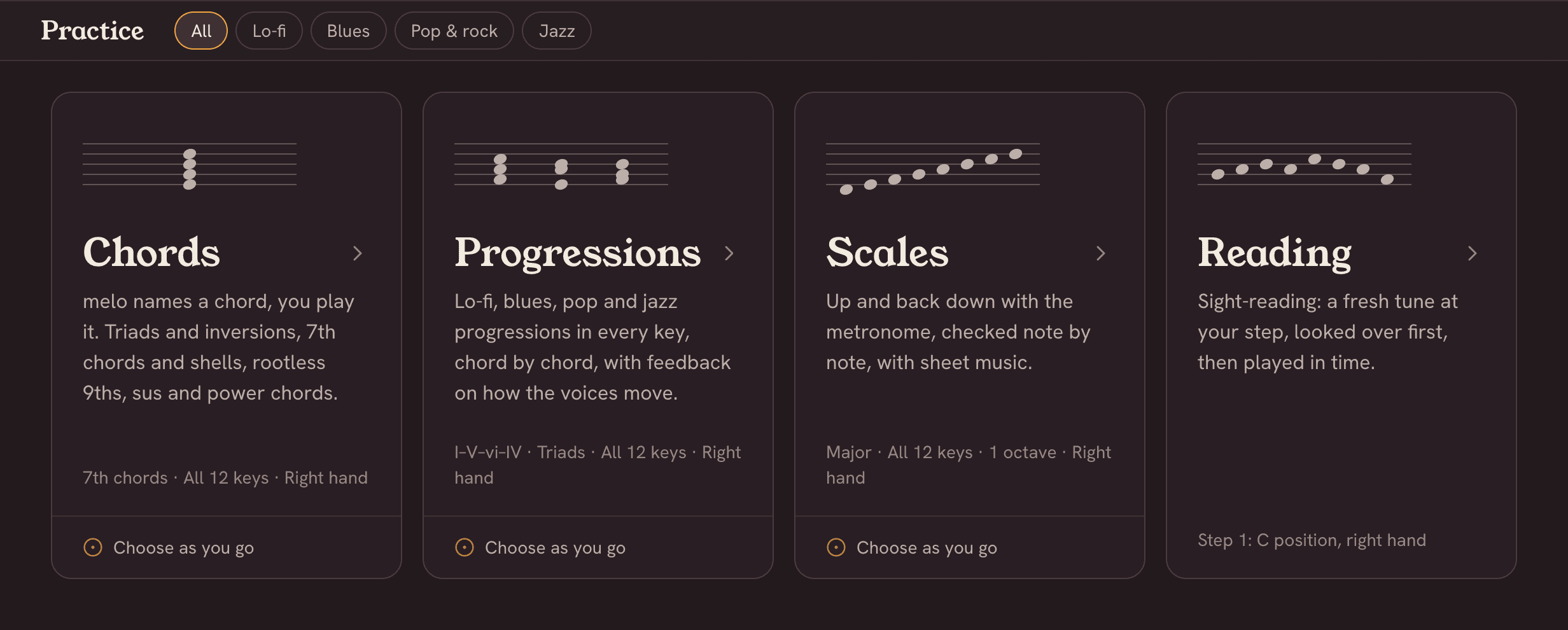
From your first chord to rootless jazz voicings.
Explore and learn as you play.
Choose as you go lets you practice and explore your way.
Choose a scale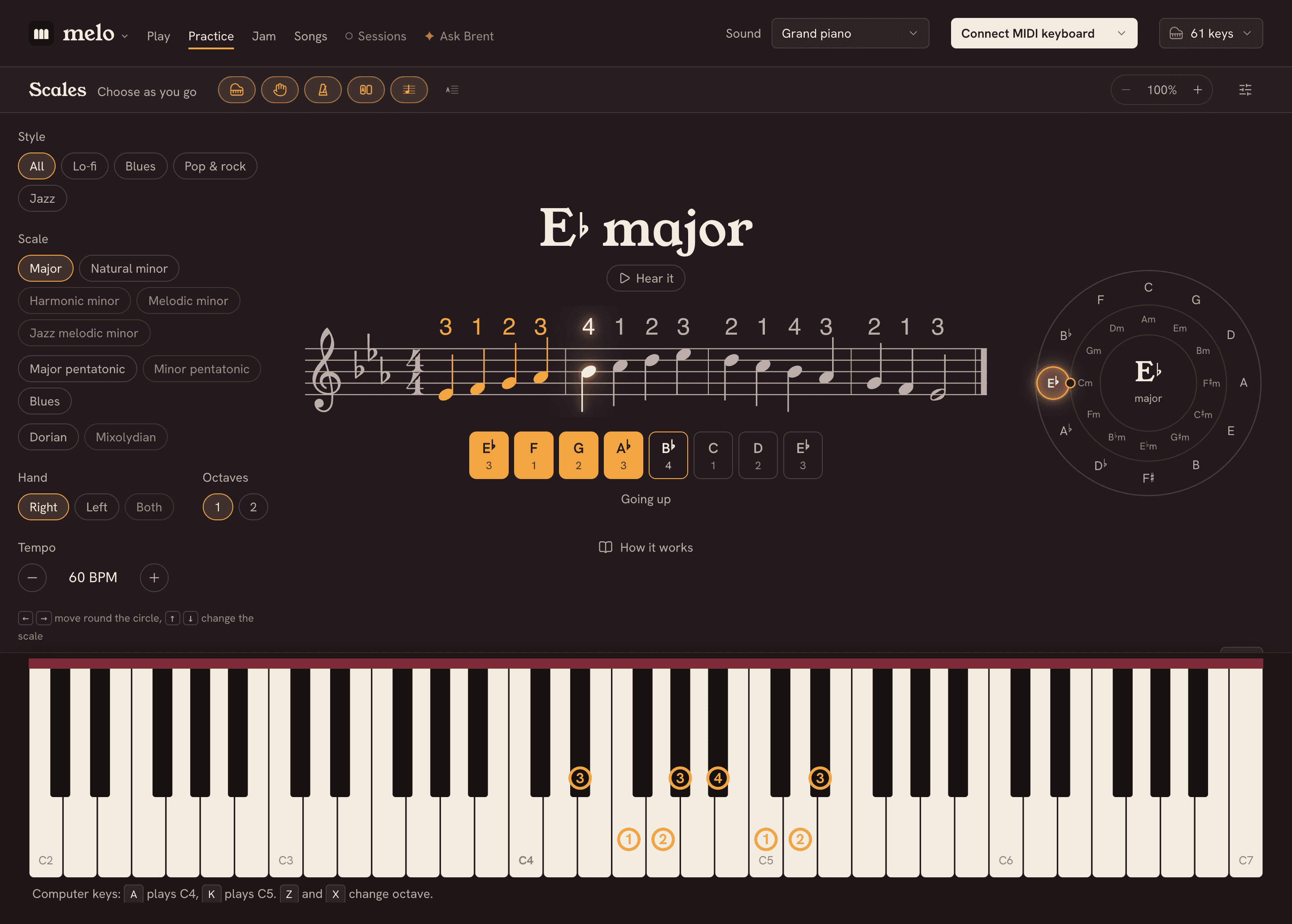
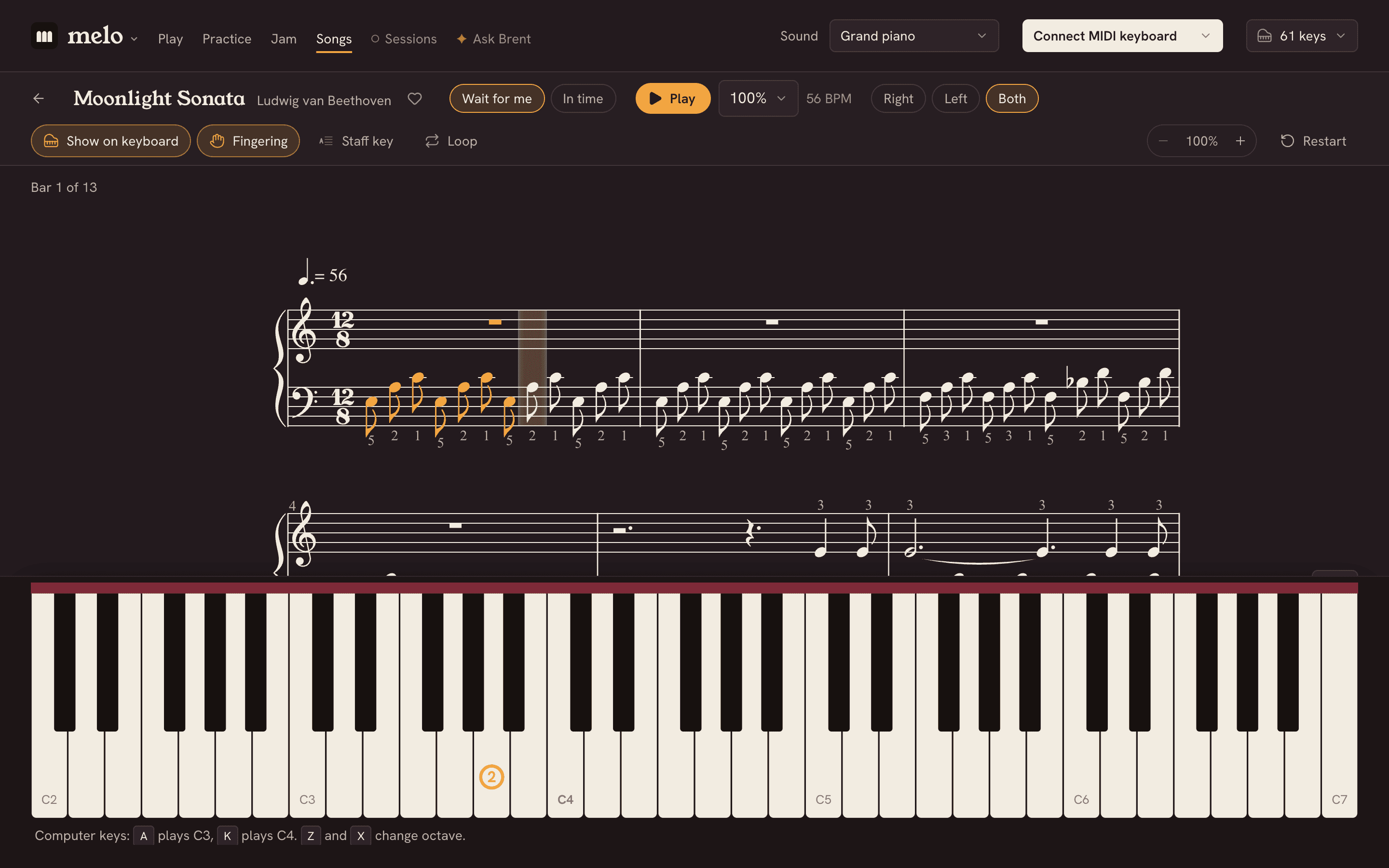
Learn real songs, one note at a time.
Access a library of 54 songs: Chopin, the Moonlight Sonata, Clair de lune, the Can-Can, Rhapsody in Blue, and melo originals. Try 10 now; a free account opens them all.
See all the songsBring your own music
Open a MusicXML file of any score you have, and build your library with a free account.
Read music at sight.
Every exercise is new, written for your step: a tune over real chords, in phrases that answer each other. Go at your own pace, customize your settings, loop the sections you want to practice, and have fun while learning. The first 4 steps are yours to try; a free account opens them all.
Start reading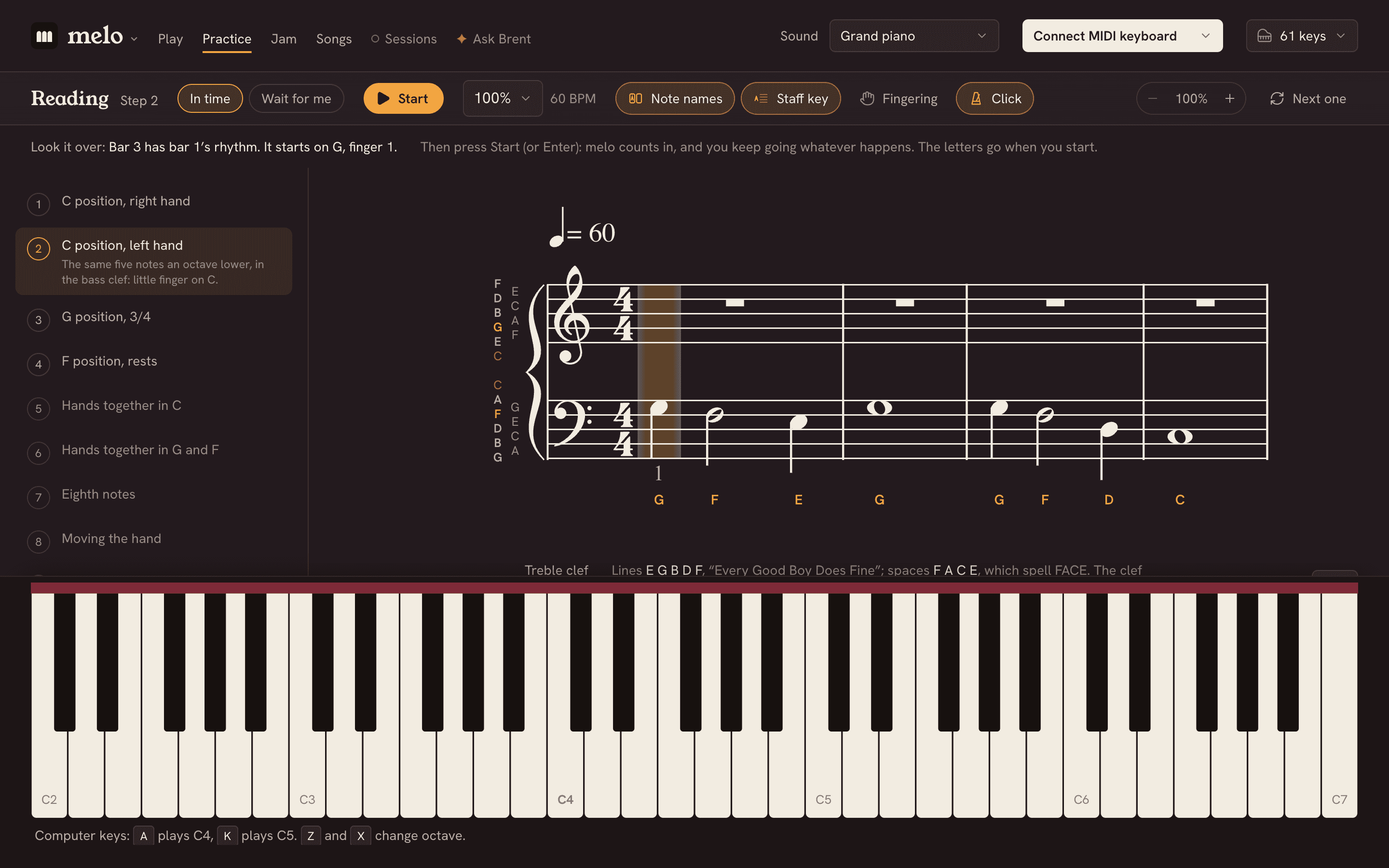
Jam with a band.
Choose a style and a progression, and melo plays it on a loop as your band, in any key. The drummer counts you in, and melo shows the notes you can play, lit up on the keyboard. You can play the lead, or the rhythm, or take turns with melo. When a take sounds good, record it, and the band goes in it with you.
Start a jam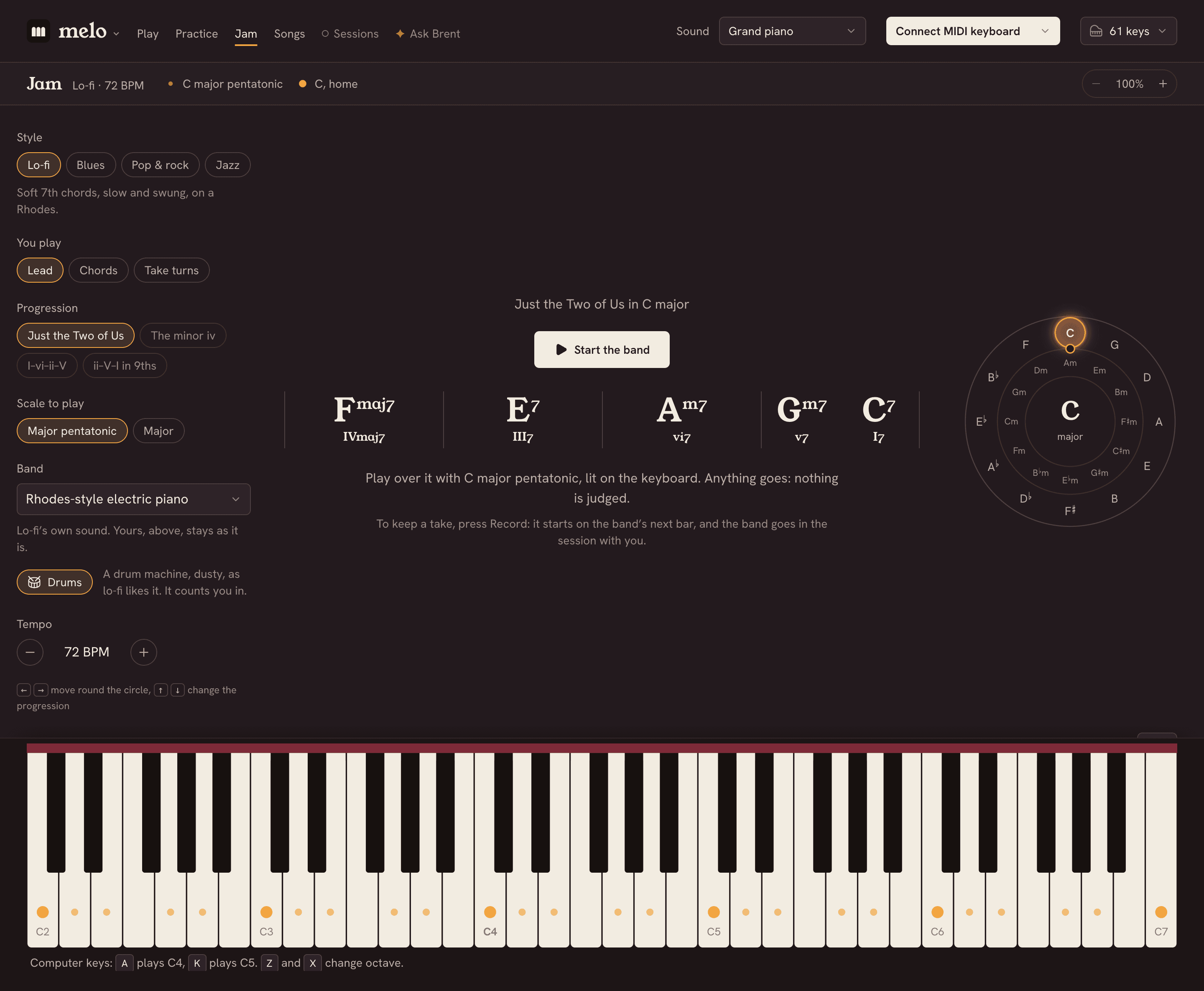
See how far you’ve come.
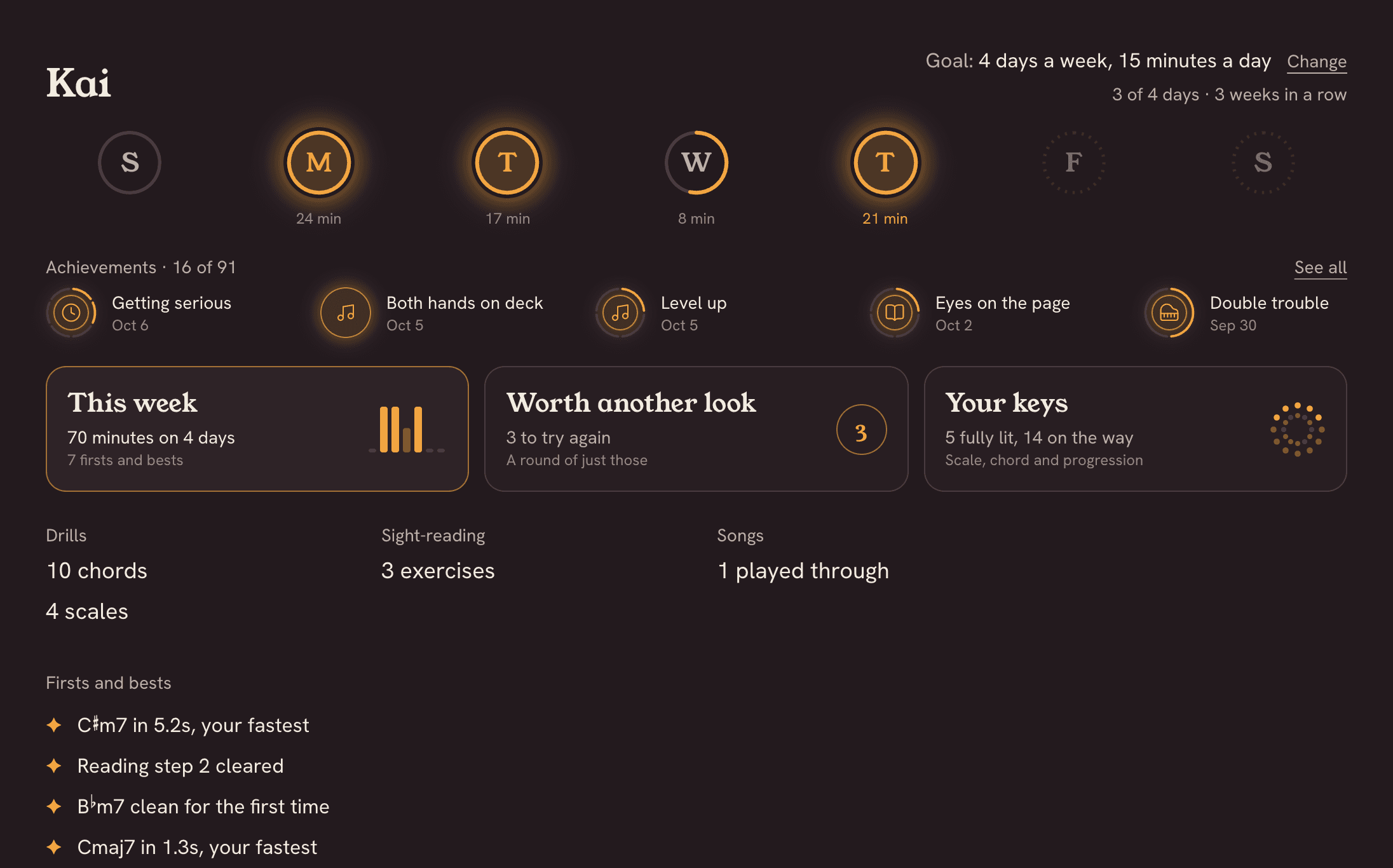
With a free account, melo keeps track of your wins. Set a weekly goal and crush achievements along the way.
Build a song, part by part.
Record, save, and export your music
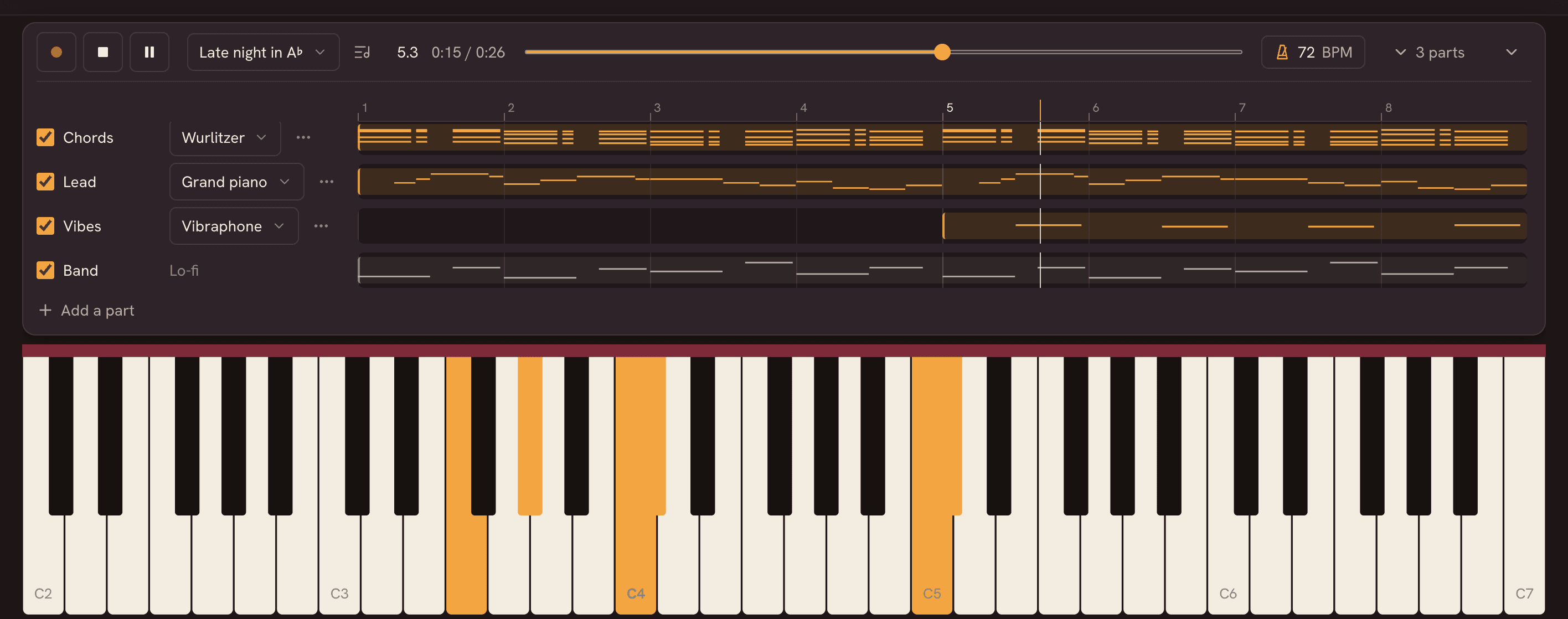
Lay down the chords, play a lead over them, and add a bass line or a second melody. Each part gets its own lane and its own sound, and melo plays them back together.
Record
With a count-in and the metronome, or over your band in Jam.
Build it up
Change sounds as you go. The parts you've recorded light the keys softly as you play. View your compositions as sheet music.
Save your session
With an account, save your sessions and sync them across your devices.
Share
Download an MP3 to share with anyone, or export a MIDI file (optionally quantized) for Logic or GarageBand, a track for each part.
What you need
- A MIDI controller works best: a keyboard that plugs into your computer with a USB cable. Any brand, any size. Chrome and Edge work best; Safari can’t talk directly to keyboards yet.
- With the Microphone (Beta), melo hears an acoustic piano or a keyboard’s speakers through your computer, tablet or phone. (Safari too.)
- No keyboard or piano yet? You can use your computer's keys to play notes too. On a tablet or phone, you can play the keys on screen.
Free, with an account
You can try melo without one. A free account opens everything else and keeps your sessions and your progress safe.
- Every sound
- Sessions: record up to eight parts, play back, sheet music, MP3 and MIDI files
- Sync sessions to the cloud, on every device
- Every chord, scale and progression drill
- Every step of sight-reading
- Every song, and favorites on every device
- Your library: your own scores, on every device
- Your profile: your week, a goal, achievements and what to practice next
- Brent, your AI coach: ask him anything about music and your playing
Coming soon
melo for Mac and Windows
melo is getting a desktop app of its own: in your Mac Dock or Windows Start menu.
- No Chrome (or any browser) needed
- Runs without WiFi
- Works with any MIDI keyboard
- Use side by side with your favorite DAWs
We’re getting them ready. Get updates below, and we’ll tell you when they’re here.

Coming next
We’re still building new features for melo. Have an idea, or feedback? We’d love to hear from you at hello@playmelo.app.
Try melo now, free.
No account, nothing to install. Open it in Chrome or Edge, plug in your keyboard and start. Make a free account whenever you want melo to keep your sessions and your progress.